Our Services
Deliver computing resources and store data remotely
Virtual shared resources allow multiple users to access the infrastructure
Encompasses & enhanced the measures taken to protect & backup procedure
Business series web & email hosting & troubleshooting solution
Ensuring seamless connectivity & data communication inbound & outbound
Background analysis & security
IT consulting
Virtual & Physical Infrastructure
Data and applications are only as useful as those servers reside on. ITE managed service plans include 24/7 server monitoring, maintenance and ongoing proactive and reactive support. Whether servers are hosted & maintained locally in our private data center or residing in the public cloud. The ITE team deploys tools for full remote management for optimized performance, and if onsite remediation is ever needed, we have the resources to get the job done and avoid costly disruptions and downtime.

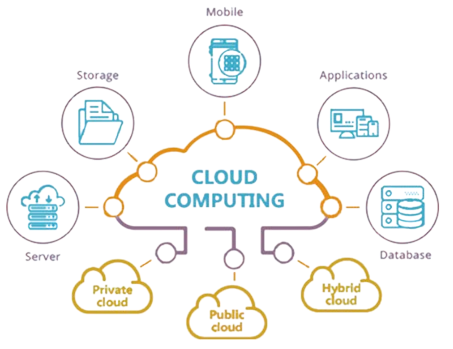
Private Cloud Features
We realize that an all-cloud solution is not the best option for all businesses. Whether your network is located in your office, in your private data center, or in a third-party colocation facility. ITE Cloud Solutions can help you choose the right hardware and software to meet your unique needs, and we’ll work with you to ensure that your environment is optimized and secure.
Plan and deploy cloud, hybrid, or on-premises environments to drive the digital transformation of your organization with our Microsoft Cloud Infrastructure solutions
Microsoft Intelligent Business Applications Platform

Microsoft Intelligent Business Applications platform, a comprehensive ecosystem designed to empower businesses with connected, data-driven, and intelligent solutions. This platform integrates a diverse set of Microsoft products and services, all working in concert to foster innovation, automate processes, and provide actionable insights.
At the top of the diagram, we see the user-facing applications that form the core of business operations:
Dynamics 365: Microsoft’s suite of enterprise resource planning (ERP) and customer relationship management (CRM) applications, covering sales, service, finance, operations, and more.
Office 365: The familiar suite of productivity applications, including Word, Excel, PowerPoint, Outlook, and collaborative tools like Teams, which are essential for daily business activities.
LinkedIn: As a professional networking platform, LinkedIn’s integration highlights Microsoft’s focus on connecting business processes with professional networks and talent acquisition.
Microsoft Power Platform: This comprises a suite of low-code/no-code development tools:
Flow (now Power Automate): For automating workflows and connecting various applications and services.
PowerApps: For building custom business applications with minimal coding.
Power BI: For creating interactive dashboards and reports, enabling data visualization and business intelligence.
These applications are not isolated; they are deeply integrated and share common underlying services, represented in the middle layer of the diagram:
Connectors and Gateways: These facilitate seamless communication and data exchange between the Microsoft platform and external systems, ensuring that data from various sources can be brought together.
Common Data Service (now part of Microsoft Dataverse): This serves as a secure and scalable data platform that stores and manages data used by Dynamics 365, PowerApps, and other applications. It provides a unified data store, reducing data silos and ensuring data consistency across the platform.
Pro dev extensibility: This signifies the platform’s support for professional developers. While PowerApps and Power Automate enable citizen developers, pro-developers can extend the platform’s capabilities using traditional coding languages and tools, building complex custom solutions.
Underpinning the entire platform is Azure, Microsoft’s cloud computing service. Azure provides the foundational infrastructure and advanced capabilities that power the Intelligent Business Applications platform. Specifically, it offers:
AI (Artificial Intelligence): Infusing intelligence into applications through capabilities like natural language processing, image recognition, and predictive analytics.
Machine Learning (ML): Enabling applications to learn from data, identify patterns, and make data-driven predictions or decisions.
Cognitive Services: A collection of pre-built AI services that developers can easily integrate into their applications to add intelligent features like vision, speech, language, and knowledge capabilities.
Microsoft Intelligent Business Applications platform creates a holistic and interconnected ecosystem. It empowers businesses to leverage their data intelligently, automate processes efficiently, build custom applications rapidly, and foster deeper collaboration, ultimately driving digital transformation and competitive advantage.
Envisioning and architectural design sessions, migration readiness assessments, health checks & project planning sessions
QuickStart deployment & migration services to attain new private, public or hybrid solutions that enable new capabilities
Upgrade existing environments, increase security, receive 24/7 critical admin support & benefit from managed services
Secure your IT Infrastructure with Kaspersky Endpoint Security Solution
Kaspersky Endpoint Security delivers multi-layered security that detects suspicious behavior and blocks threats, including ransomware. The Advanced offer additionally protects Windows Server containers.
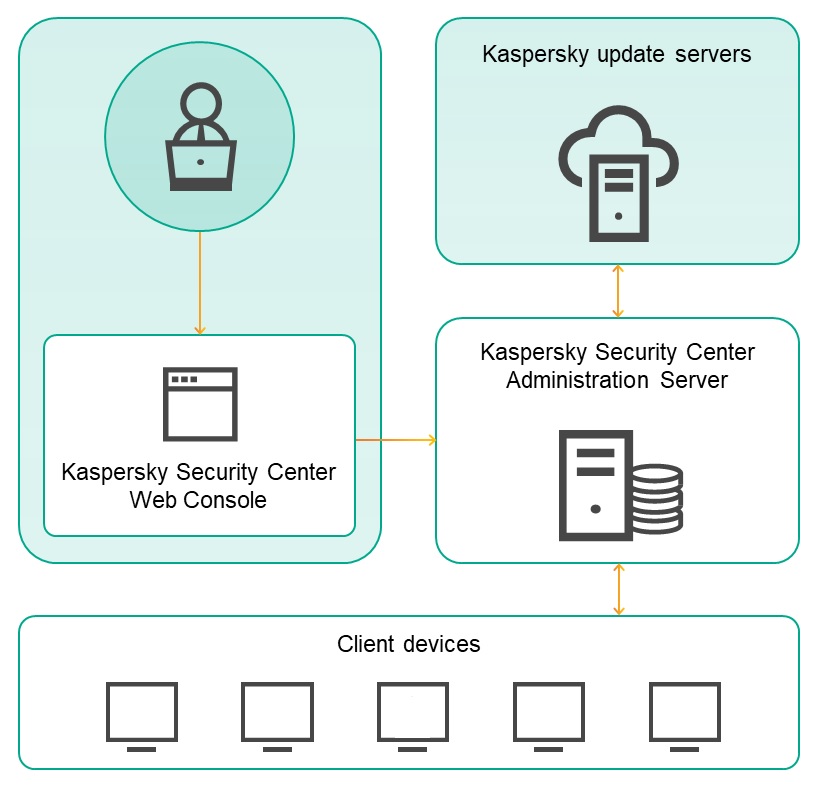
Kaspersky Security Center Architecture: A Centralized Security Hub
In today’s complex digital landscape, effective cybersecurity relies on robust and centrally managed solutions. The provided diagram illustrates the core architecture of Kaspersky Security Center, a powerful platform designed to streamline the deployment, management, and monitoring of Kaspersky security applications across an organization’s network. This centralized approach ensures consistent protection and simplified administration for a multitude of client devices.
At the heart of this architecture is the Kaspersky Security Center Administration Server. This server acts as the central intelligence and control unit for the entire security infrastructure. Its primary responsibilities include storing and enforcing security policies, managing software updates, collecting crucial security information from endpoints, and generating comprehensive reports on the network’s security posture. All administrative actions and data flows are orchestrated through this pivotal component.
To keep the security mechanisms on client devices current and effective, the Administration Server regularly communicates with Kaspersky update servers. These external servers, maintained by Kaspersky Lab, are the authoritative source for the latest antivirus databases, application updates, and critical security patches. This continuous flow of updated threat intelligence ensures that the managed endpoints are equipped to defend against the newest and most sophisticated cyber threats.
The human element of administration is facilitated by the Kaspersky Security Center Web Console. This intuitive, web-based interface is the primary tool for administrators to interact with the Administration Server. Its accessibility from any device with a web browser offers unparalleled flexibility, allowing security professionals to configure policies, monitor security events, and initiate tasks remotely, thereby enhancing operational efficiency.
Finally, the entire system is designed to secure the Client devices – the individual computers, laptops, and servers that form the backbone of an organization’s IT infrastructure. These devices run Kaspersky security applications, which are diligently managed by the Administration Server. Through this connection, policies are pushed, updates are distributed, and real-time security data is reported back to the central server, creating a comprehensive and unified security ecosystem.
In essence, the Kaspersky Security Center architecture fosters a highly organized and efficient security environment. By centralizing update distribution, policy enforcement, and security monitoring, it empowers organizations to maintain a strong defensive posture against evolving cyber threats with minimal administrative overhead.
Available in tiers like select, core & advanced with different levels of functionality & protection, protects against mail-based threats, spamming & phishing
Multi-layered, next-generation threat protection with additional proactive technologies such as application, web, device controls, vulnerability and patch management & data encryption
Increase security, receive 24/7 critical admin support and benefit from managed services, implement & manage from a single console with unified policies
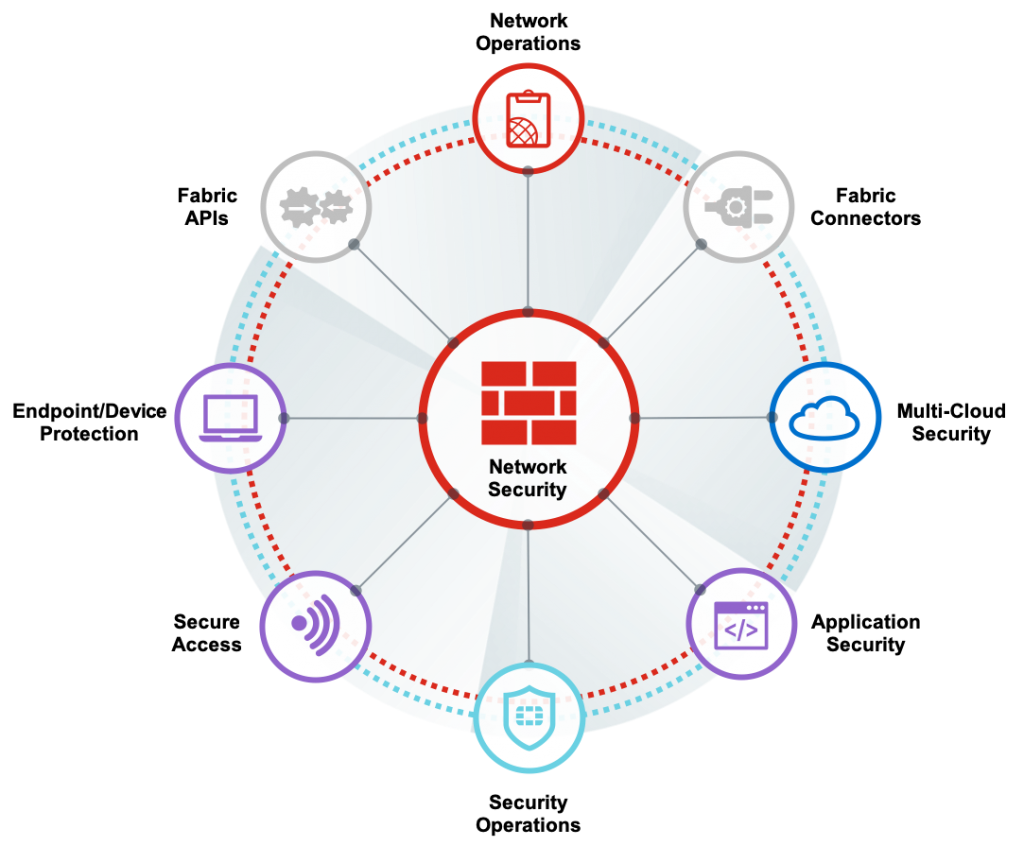
Private Managed Firewall
A managed firewall is a service that offers enhanced threat management. Security experts monitor your firewall remotely and can help mitigate any potential threats. To accomplish this, they study your network traffic and learn what normal traffic looks like for your business. When any unusual activity is detected, it can be quickly identified and addressed. In addition, your provider will perform routine traffic analysis and send regular reports to you so you will have a clear
sense of your network traffic patterns and how your managed services team is managing threats to your network. Expertise Made Affordable by The Economy of Scale The beauty of IT services like managed firewall is their ability to leverage economies of scale to offer companies the cybersecurity they need, at a price they can afford. In the past, your only option was to create an in-house security solution for your network, which you had to pay for through a capital expenditure.
Here are 3 ways a managed firewall can enhance your company’s operations with Firewall Support
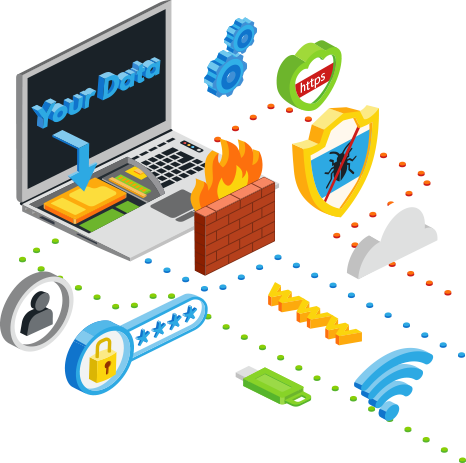
1. Protect against Cyber Crime with Firewall Support
Cyber crime is a growing concern for businesses and citizens alike. According to a recent cyber attack rates are climbing faster than any other crime and will cost the global economy.
A business that falls prey to a cyber criminal will face serious losses and half of all businesses would lose their profitability within a month if their critical data was lost. With a managed firewall, business owners can avoid or mitigate the risk of a cyber attack or breach.
2. Meet compliance requirements with Firewall Support
As the threat level of cyber attacks continues to grow, so does the burden of compliance regulations. Existing regulations such as HIPAA, PCI DSS, and Sarbanes Oxley continue to evolve with ever stricter and more technical compliance requirements.
New regulations such as GDPR add to the complexity.
A managed firewall service provider with compliance expertise can ensure your company meets these legal requirements, avoiding
the heavy penalties associated with negligence.
3. Ease burden of monitoring with Firewall Support
The burden of round-the-clock monitoring can be heavy for many SMBs. For example, if you have a small IT department with just
one security expert, it’s not possible for your staff to continuously monitor your network.
Most business owners need to stay focused on their core business activities; they don’t have time to become IT security experts and hiring enough staff for 24/7 monitoring may be too expensive.
A managed firewall solution solves both of these problems.
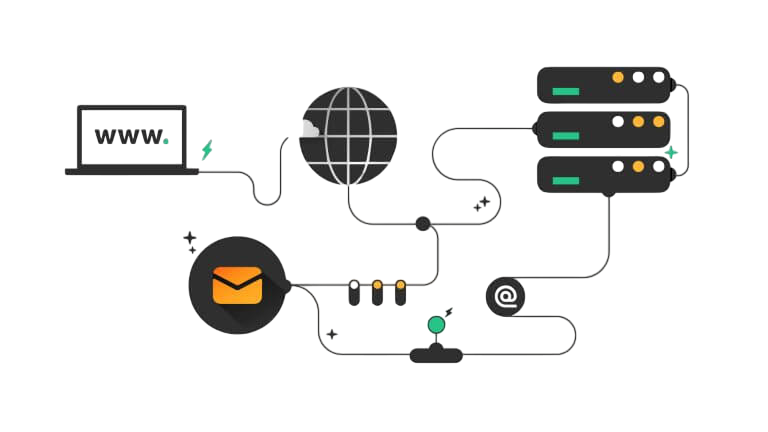
Web & Email Hosting for Small and Medium Businesses
In today’s digital-first world, a robust online presence and seamless communication are non-negotiable for businesses of all sizes. For small and medium-sized businesses (SMBs), choosing the right web and email hosting solutions isn’t just about getting online; it’s about establishing credibility, fostering efficient operations, and laying a strong foundation for future growth.
The Two Pillars: Web Hosting and Email Hosting
While often bundled, it’s crucial to understand that web hosting and email hosting are distinct services.
Web Hosting: This is where your website’s files (images, text, code, etc.) are stored on a server, making them accessible to anyone with an internet connection. It dictates your website’s speed, reliability, and security.
Email Hosting: This service stores your emails and manages their sending and receiving. It allows you to create professional email addresses using your own domain (e.g., info@yourbusiness.com), rather than generic ones like @gmail.com or @yahoo.com.
Here’s two types of services included
Dedicated Web Hosting:
Concept: This is like owning your own house. You have an entire physical server dedicated solely to your website (or applications). All the server’s resources are yours alone.
High performance: Exclusive access to all server resources ensures optimal speed, reliability, and performance, even during peak traffic.
Full control: You have complete control over the server’s operating system, hardware, software, and security configurations, allowing for extensive customization.
Enhanced security: With no other users on the server, the security risks associated with shared environments are eliminated, and you can implement specific security measures tailored to your needs.
Scalability: Ideal for high-traffic websites, large e-commerce stores, and resource-intensive applications that require significant power and flexibility.
Expensive: Significantly more costly than shared hosting due to the exclusive use of an entire server.
Technical expertise required: You’re responsible for server management, including updates, security patches, and troubleshooting, which requires more technical knowledge. Many providers offer “managed dedicated hosting” where they handle these tasks for an additional fee.
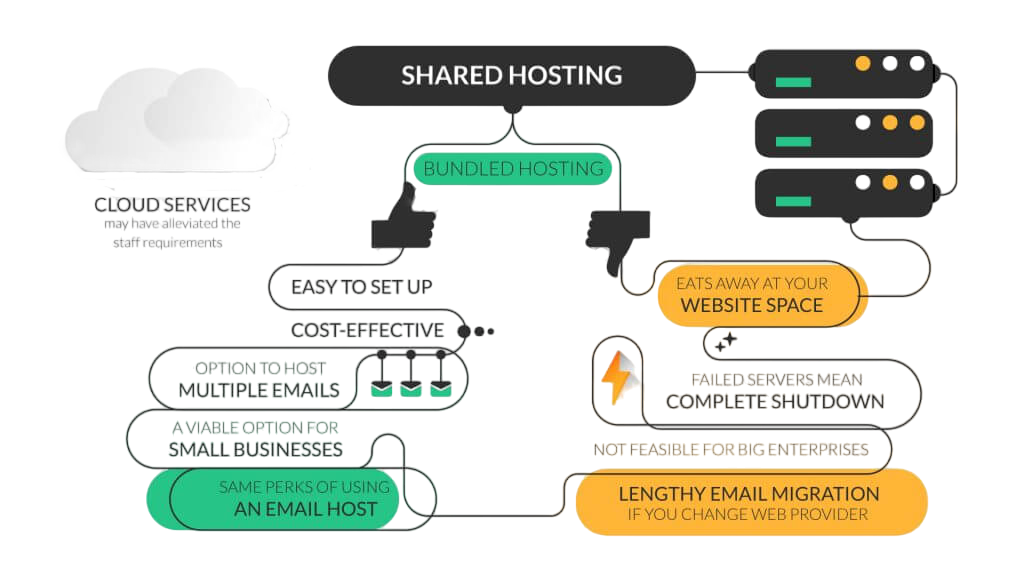
Shared Web Hosting:
Concept: Imagine living in an apartment building. You share the building’s resources (electricity, water, common areas) with other tenants. Similarly, with shared web hosting, your website resides on a single server alongside many other websites. They all share the server’s resources like CPU, RAM, and bandwidth.
Affordable: It’s the most budget-friendly option because the cost of maintaining the server is distributed among many users.
Easy to manage: The hosting provider handles most server administration and technical aspects, making it ideal for beginners with limited technical knowledge.
Good for small websites: Suitable for personal blogs, small business websites, and sites with low to moderate traffic.
Performance limitations: If another website on the same server experiences a traffic surge or resource-intensive activity, it can impact your website’s performance (the “noisy neighbor” effect).
Less control: You have limited control over server configurations, software installations, and security settings.
Security risks: While providers implement security measures, a vulnerability on one shared site could potentially affect others on the same server.
Dedicated Email Hosting:
Concept: Your email accounts are hosted on a server (or a specific set of resources) solely dedicated to your email services. This means your email traffic and data are isolated from other users.
Improved deliverability: Your sender reputation is entirely your own, leading to better email deliverability and a lower chance of emails being marked as spam.
Enhanced security: Greater control over security measures, including advanced spam filters, virus protection, and encryption, to protect sensitive email data.
Reliability and performance: Email services are not affected by other users, ensuring faster email processing, delivery, and retrieval, along with higher uptime.
More features and customization: Often comes with a wider range of advanced features, larger storage capacities, and greater control over email policies.
More expensive: As with dedicated web hosting, the cost is higher due to exclusive resource allocation.
May require technical knowledge: Depending on the provider, you might need to manage some aspects of the email server configuration. However, many dedicated email hosting services are fully managed.
Shared Email Hosting:
Concept: Similar to shared web hosting, your email accounts are hosted on a server that is shared with other users’ email accounts. The server’s resources for email services (storage, processing, bandwidth) are shared.
Cost-effective: Usually included as part of a shared web hosting plan or offered at a very low cost.
Easy setup: Generally simple to configure and manage through a control panel.
Suitable for small needs: Fine for individuals or small businesses with basic email communication requirements.
Performance and deliverability issues: If other users on the shared server engage in spamming or have a poor sender reputation, it can negatively impact the deliverability of your emails (they might end up in spam folders).
Limited storage and features: May have caps on mailbox storage and offer fewer advanced features like robust spam filtering, extensive archiving, or advanced collaboration tools.
Security concerns: While providers have security measures, a compromised account on the shared server could pose a risk to others.
Dedicated and shared hosting are two fundamental types of hosting services, applicable to both websites and email. The core difference lies in whether you have exclusive use of a server’s resources (dedicated) or share them with others (shared).
Why Dedicated Solutions Matter for SMBs
While free or bundled options might seem appealing for startups, investing in dedicated or specialized web and email hosting offers significant advantages for SMBs:
Professional Credibility: A custom domain email address immediately boosts your business’s legitimacy and trustworthiness. It signals professionalism to clients, partners, and suppliers.
Enhanced Security: Dedicated hosting providers offer robust security features like advanced spam filters, malware protection, SSL certificates (for websites), and two-factor authentication, safeguarding your sensitive business data.
Reliability and Uptime: Reputable hosting services guarantee high uptime, ensuring your website is always accessible and your email communications flow smoothly. Downtime can lead to lost sales, missed opportunities, and damaged reputation.
Scalability: As your business grows, your hosting needs will evolve. Dedicated solutions offer the flexibility to upgrade storage, bandwidth, and features without significant disruptions.
Improved Performance: Faster website loading times (crucial for SEO and user experience) and efficient email delivery are hallmarks of quality hosting. Shared hosting, while cheaper, can suffer from performance issues if other websites on the same server consume excessive resources.
Better Support: Dedicated hosting providers often offer 24/7 technical support, which is invaluable when you encounter technical glitches and need quick resolutions.
Data Control and Ownership: With your own hosting, you have greater control over your data and intellectual property, which is vital for compliance and business continuity.
Key Considerations When Choosing a Provider
When evaluating web and email hosting for your SMB, consider the following:
Budget: Hosting costs vary widely. While it’s tempting to go for the cheapest option, remember that quality often comes with a slightly higher price tag. Balance cost with features and reliability.
Storage and Bandwidth: Assess your current and projected needs. Websites with lots of images or videos will require more storage, and high traffic volumes demand more bandwidth. For email, consider the number of users and typical attachment sizes.
Uptime Guarantee: Look for providers offering at least 99.9% uptime. This indicates a commitment to keeping your services online.
Security Features: Beyond SSL, look for firewalls, DDoS protection, regular backups, and malware scanning.
Customer Support: Responsive and knowledgeable 24/7 support (via live chat, phone, or tickets) is critical, especially for SMBs without dedicated IT staff.
Ease of Use: A user-friendly control panel (like cPanel or Plesk) and intuitive interfaces simplify website management and email account setup.
Scalability Options: Ensure the provider offers clear upgrade paths as your business expands.
Integration with Other Tools: If you use platforms like WordPress, e-commerce solutions, or specific productivity suites (e.g., Google Workspace, Microsoft 365), check for seamless integration.
The Final Word
For small and medium businesses, strategic web and email hosting are foundational investments. We are empowering your online presence, streamline communication, protect your data, and provide the flexibility to grow. By carefully considering your specific needs, budget, and future aspirations, you can select the hosting solutions that truly propel your business forward in the competitive digital landscape.
IT Support & Service Plan
Our plans focus on your company’s unique needs and are designed to control costs. From basic infrastructure monitoring and management to fully managed network services with end-user support, we’ve got you covered. We offer several managed IT service packages, our comprehensive coverage plan, our infrastructure management and desktop monitoring plan; Targeted Response, our Help Desk support plan — or we can customize a support package that suits you.

Affordable Plans
Get your right solution, contact now with us.
+880 1746709421
info@itdivision.itegroupbd.net
it@itdivision.itegroupbd.net
Priyanka Runway City, Uttara, Dhaka